Learn how ICU monitor integration connects compatible patient-monitoring devices with hospital software and what hospitals should evaluate for device compatibility, data accuracy, patient mapping, and clinical workflows.
ICU Monitor Integration with Hospital Software
ICU Monitor Integration in Hospital Software: What Hospitals Should Evaluate
Intensive care units depend on continuous monitoring and accurate clinical documentation. When staff must manually transfer information from monitoring devices into separate records, the process can create additional work and opportunities for transcription errors.
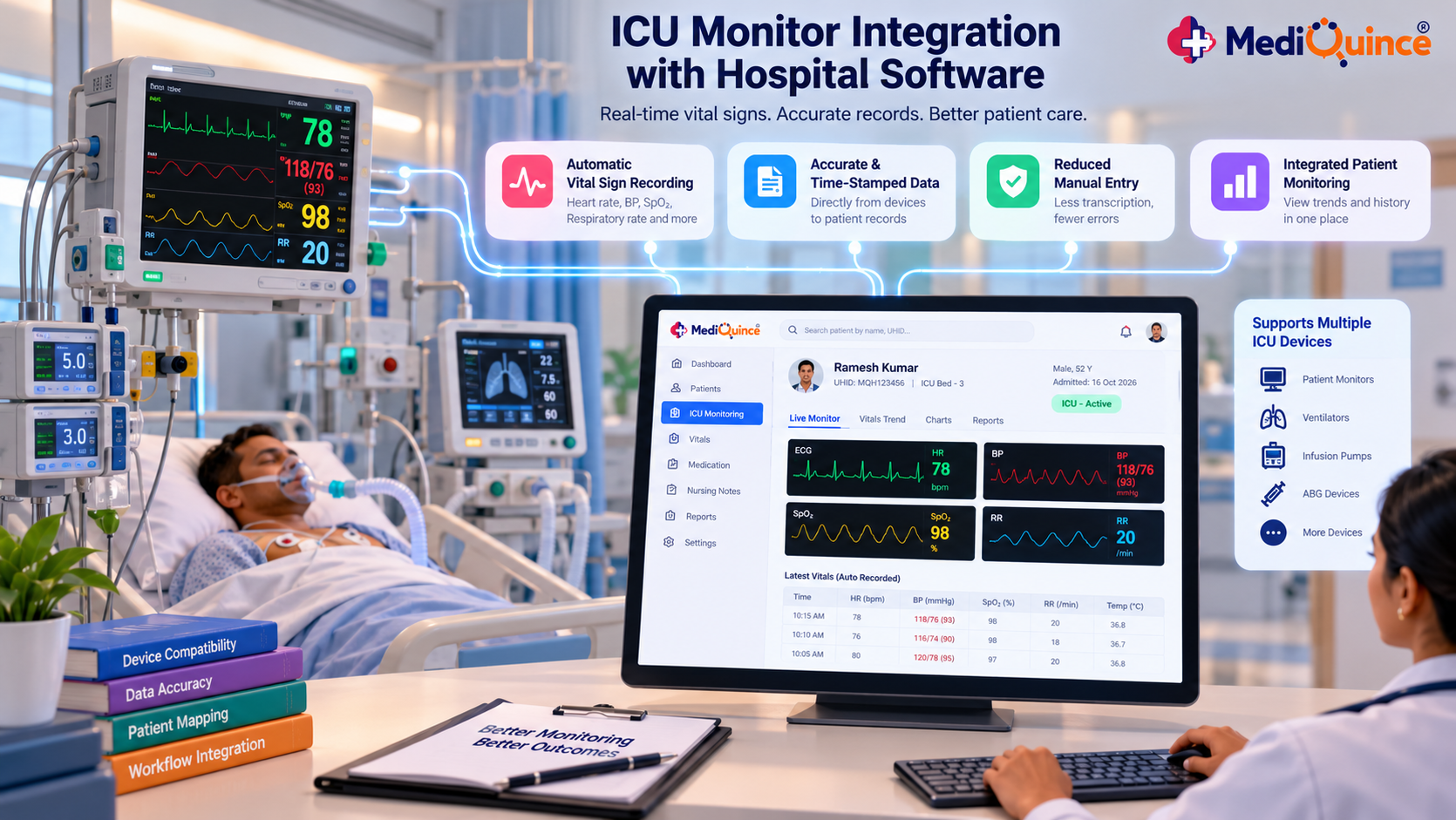
ICU monitor integration can connect compatible devices with hospital software to support the recording and review of selected clinical data.
However, the usefulness of an integration depends on device compatibility, data validation, system configuration, and clinical workflows.
What Is ICU Monitor Integration?
ICU monitor integration refers to connecting compatible patient-monitoring devices with software systems so that selected observations can be transferred or recorded electronically.
Depending on the implementation, integrated data may include supported vital-sign measurements and associated timestamps.
Hospitals must verify which devices, measurements, protocols, and data formats are supported by the specific solution.
Why Integration Matters
Reducing repetitive data entry
Where compatible devices automatically transfer supported readings, staff may have less need to transcribe those values manually.
Supporting organized clinical records
Electronic recording can help organize observations with the appropriate patient and time context, provided the integration is correctly configured.
Improving information availability
Authorized clinicians may be able to review recorded data through the relevant software interface.
Supporting workflow coordination
A properly designed integration can reduce unnecessary movement between disconnected systems.
These benefits depend on implementation quality and must not be treated as guarantees of clinical outcomes.
What Should Hospitals Evaluate?
1. Device compatibility
Confirm the supported monitor manufacturers, models, communication protocols, and interface requirements.
2. Patient and device mapping
Verify how the system associates each device with the correct patient and care location. Incorrect mapping can create serious documentation risks.
3. Data accuracy and timestamps
Test whether transferred values and timestamps match the source device and are recorded in the correct format.
4. Failure handling
Determine what happens when the device disconnects, data transfer fails, or an incoming value cannot be processed.
5. Clinical review and responsibility
Establish who reviews recorded information and how clinical teams respond to missing or inconsistent data.
An integration should not be assumed to provide continuous clinical surveillance or automatic alarm response unless those capabilities are explicitly supported and validated.
ICU Monitor Integration in Mediquince
The Mediquince hospital solution describes ICU monitor integration for automatic recording of vital signs and generating reports.
Hospitals should confirm the supported devices, available measurements, configuration requirements, and failure-handling processes before relying on the integration in clinical workflows.
FAQs
1. What is ICU monitor integration?
It is the connection of compatible ICU monitoring devices with software that records or displays selected clinical measurements.
2. Can ICU monitors automatically send vital signs to hospital software?
Some integrations support automatic transfer of compatible measurements. The available functions depend on the devices, interfaces, and software configuration.
3. What should hospitals check before integrating ICU monitors?
They should check compatibility, patient-device mapping, data accuracy, timestamps, failure handling, and clinical review procedures.
4. Does monitor integration replace clinical monitoring?
No. Integration supports information handling; it does not replace qualified clinical oversight or the monitoring and alarm functions required by the clinical environment.
Conclusion
ICU monitor integration can support more structured clinical documentation when compatible devices and hospital software exchange data reliably. Hospitals should prioritize device compatibility, patient identification, validation, and clear clinical responsibilities.
Quick Tip
Before implementing ICU monitor integration, test device compatibility, patient-device mapping, timestamps, and data-transfer failures in a controlled environment. Ensure clinical teams understand their review responsibilities before using integrated data in daily workflows.

Mediquince Clinical Desk
Notes on clinical documentation, patient flow and care coordination from the Mediquince clinical workflow team.