Discover how OPD management software streamlines patient registration, token queues, consultations, billing, follow-ups and outpatient department workflows.
OPD Management Software
Walk into a busy outpatient department at ten in the morning and the problem is visible: patients standing in corridors, a registration counter with a long line, and a doctor's room where nobody is sure who is next. This is rarely a staffing failure. It happens when the process depends on paper files, called-out names and guesses about how long the wait will be.
OPD management software replaces that guesswork with a flow everyone can see. This guide walks through the OPD journey, where time is usually lost, and which features actually make a difference.
What is OPD management software?
OPD (outpatient department) management software handles everything that happens when a patient visits without being admitted: booking or walk-in registration, check-in, queue and token, consultation, prescription, billing and follow-up. It sits inside a hospital or clinic management system, so the OPD record connects to billing, pharmacy and lab.
The OPD journey, step by step
- Booking or walk-in registration. The patient is found or registered.
- Check-in and token. The patient is placed in the doctor's queue.
- Waiting. This is where most complaints begin.
- Consultation. The doctor reviews history, examines and decides next steps.
- Orders and prescription. Tests, medicines or a follow-up date are set.
- Billing. Fees are collected.
- Pharmacy or lab. The patient moves to the next desk.
- Follow-up. A return visit is scheduled and reminded.
Where OPD time is usually lost
- Registering a returning patient from scratch because the old record cannot be found
- Searching for paper files before the doctor can start
- No shared view of the queue, so patients crowd the doctor's door
- Billing and pharmacy as separate queues with no connection to the consultation
- Patients leaving without a follow-up plan
Features that make a real difference
Digital registration and returning-patient lookup
A good system finds a returning patient in seconds and shows past records to the doctor. Family-based record structures also help in households where several members visit the same hospital. Mediquince's family card, for example, groups family members into a single patient card.
Token and virtual queue
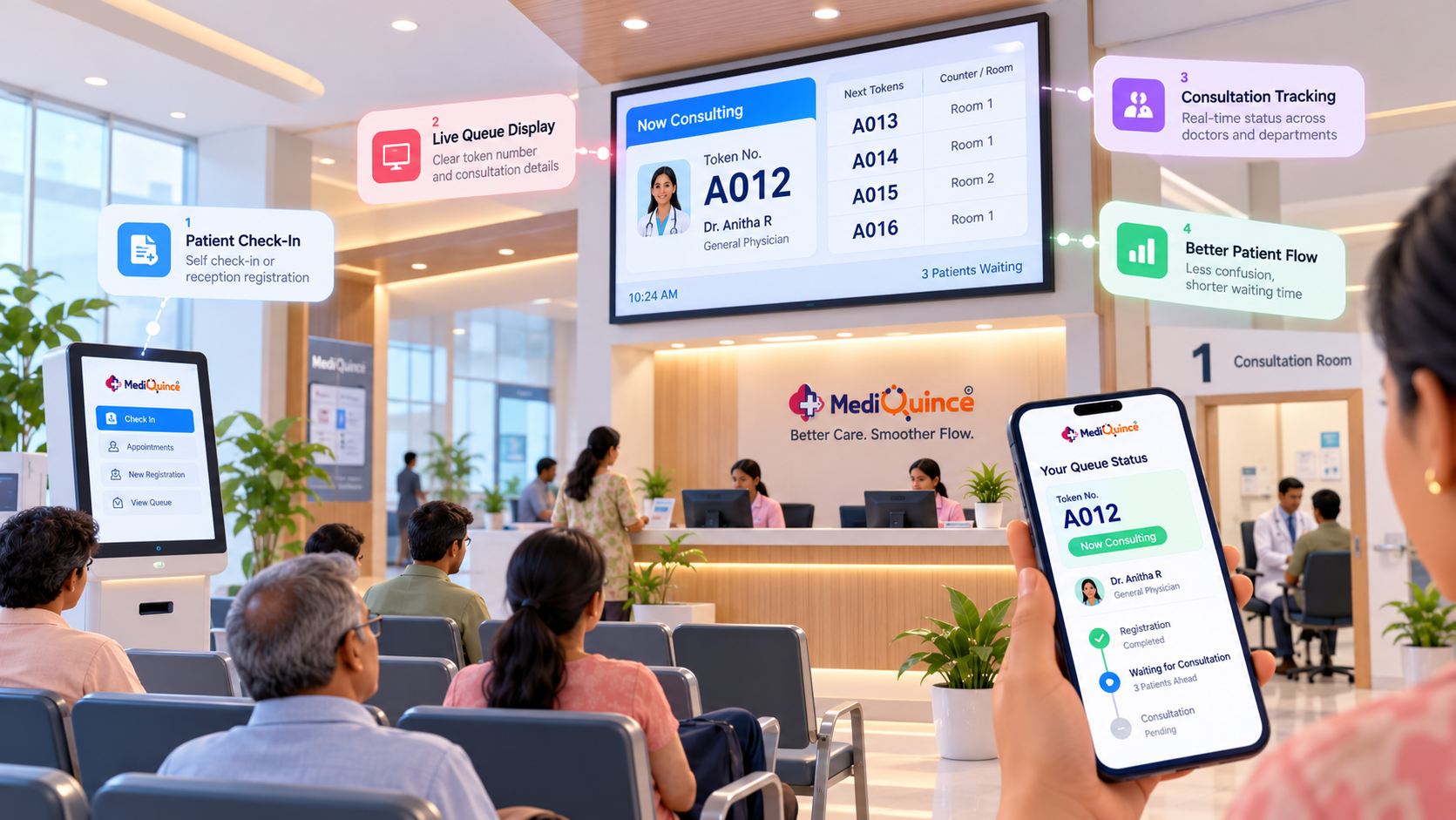
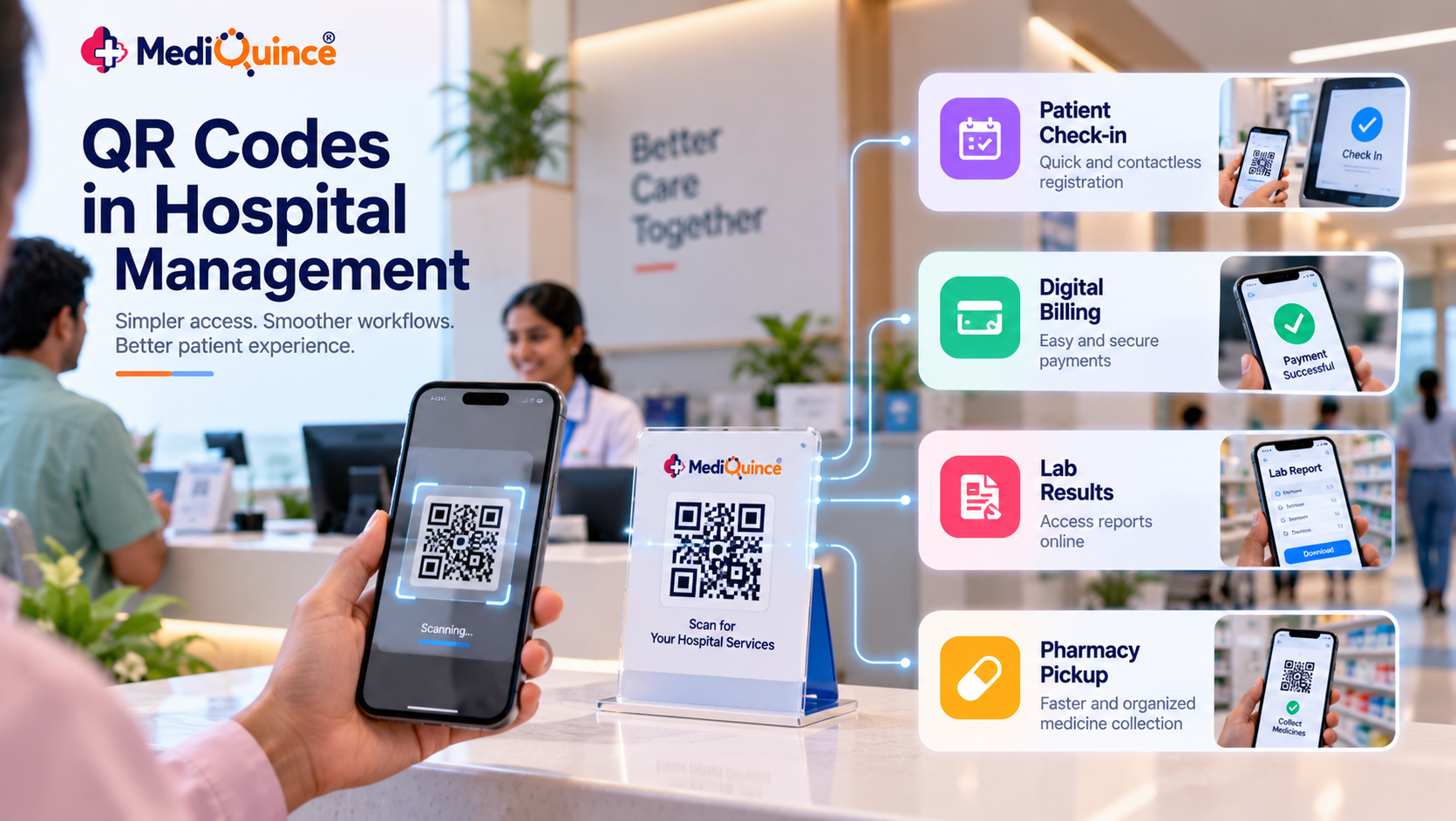
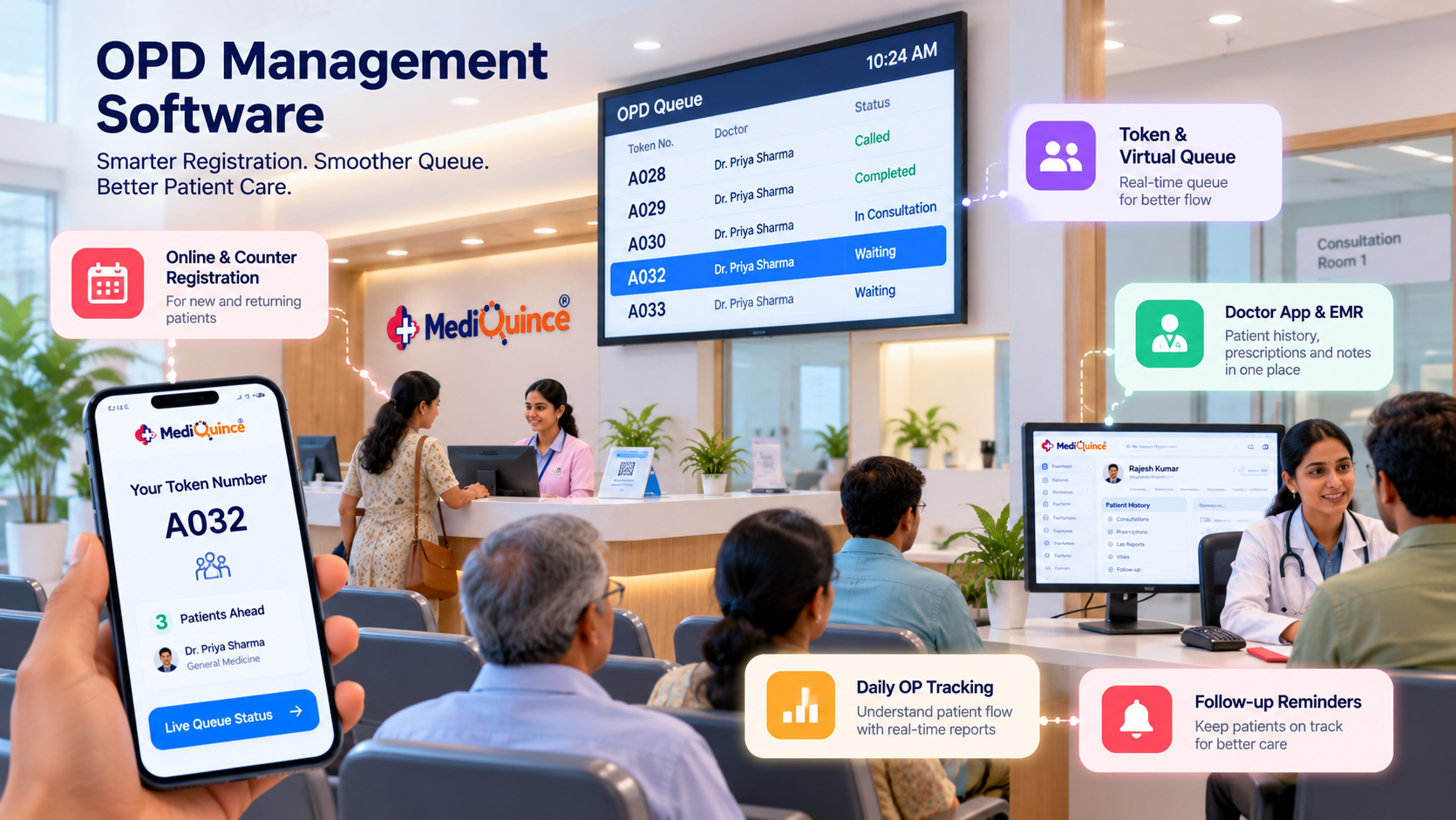
A token system gives every patient a position in line. A virtual queue goes further: patients can wait outside the corridor and still see progress. Mediquince lists a QR token system and a virtual queue, and its hospital page describes QR scans for contactless check-in.
Counter booking and walk-ins
Not every patient books online. Counter booking at the check-in desk and handling of unscheduled walk-ins keep the same queue fair for everyone.
Doctor-side view
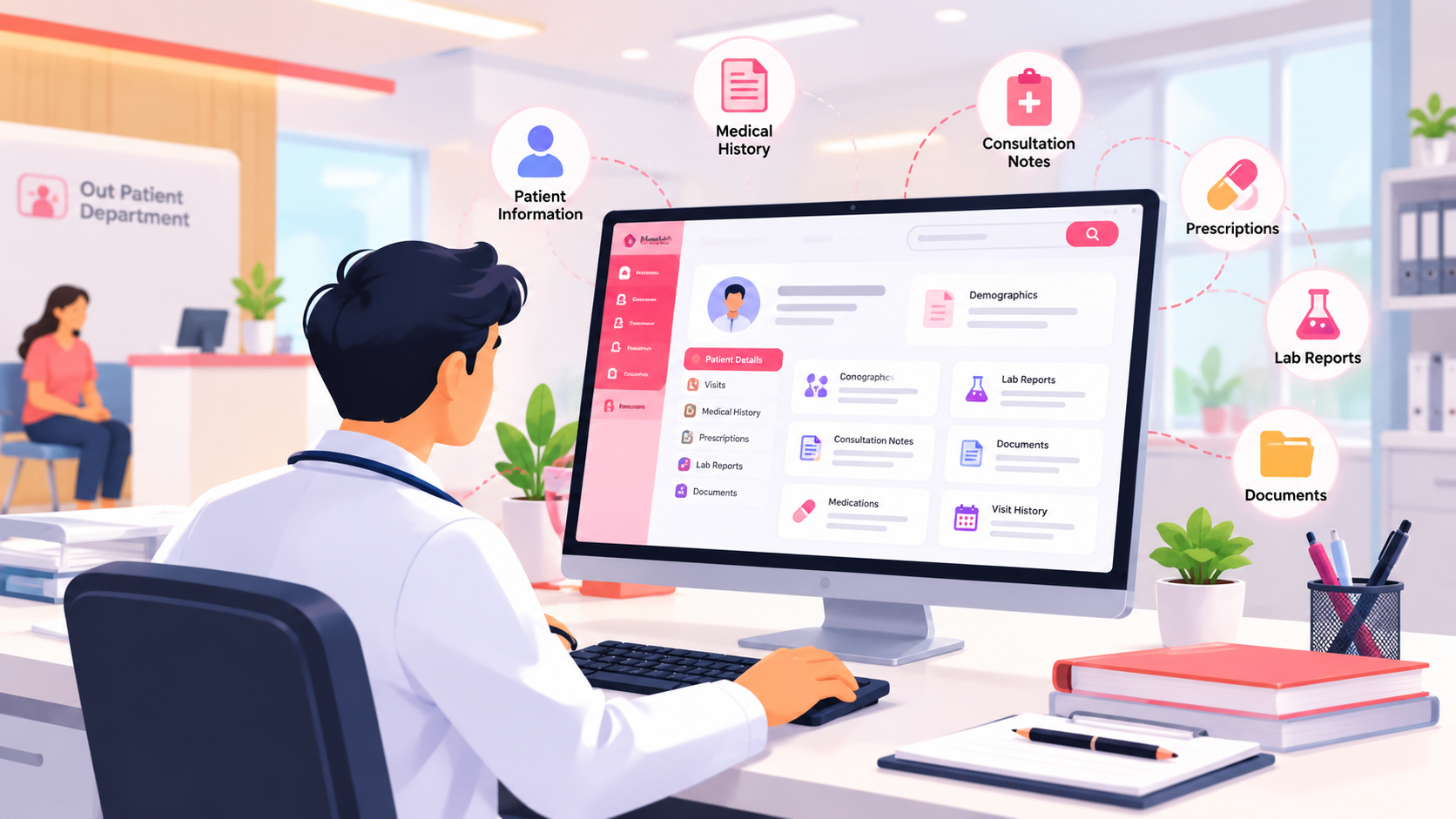
Doctors should see their appointments, patient history and notes on a desktop, tablet or phone. Mediquince's doctor app supports viewing appointments and updating notes away from the desk.
Follow-up reminders
A follow-up that nobody tracks is a lost visit and a gap in care. Look for reminders that reach both the doctor and the patient.
Daily OP tracking and analytics
The queue is also a data source. Daily OP counts, doctor-wise load and patient trends help you plan staff and consultation hours.
How to tell whether your OPD is improving
Measure before you switch and again after a few weeks of use. Useful measures include the time from check-in to consultation, daily OP count, how many patients return for follow-up, and which hours are busiest. Resist the temptation to promise improvement figures in advance; your own numbers are the only ones that count.
What to ask a vendor
- Can you show a patient moving from registration to billing on my workflow?
- How are walk-ins and booked patients kept in one queue?
- Can patients check in with a QR code?
- How do doctors see history during the consultation?
- Which OP reports are available by default?
- Does the system keep working during a short internet outage?
How Mediquince handles OPD
Mediquince's clinic and hospital modules are built around the OP journey. The software guides patients through each stage of a visit, tracks daily outpatient visits in real time, supports counter booking, walk-ins and follow-ups, and sends follow-up reminders for doctors. A patient app and a doctor app extend this beyond the front desk.
FAQs
What is OPD management software?
It is software that manages outpatient visits from registration and queue to consultation, billing and follow-up, usually as part of a hospital or clinic management system.
How does a hospital token system work?
Each patient receives a token number that sets their position in the doctor's queue. Digital systems display progress and can use QR codes for check-in.
Can OPD software handle walk-ins as well as booked patients?
Yes, if it is designed for both. Ask the vendor to show walk-ins and booked patients sharing one queue.
Is OPD software only for large hospitals?
No. Clinics and nursing homes use it too. Mediquince offers a clinic and nursing home version with patient in-flow and daily OP tracking.
Conclusion
A digital OPD does not remove patients from the waiting room. It removes the uncertainty around the wait, and that is what reduces crowding and frustration. Start by mapping your own OPD journey, find the two slowest steps, and choose software that fixes those first.
To see Mediquince's token queue, check-in and OP tracking in action, book a free demo.
Quick Tip
Track check-in-to-consultation time, daily OP count and follow-up visits before and after implementation. Use those figures to identify which OPD steps need further improvement.

Mediquince Product Team
The team that designs, implements and supports Mediquince HMS for hospitals, clinics, labs and pharmacies.