Patient information is essential to everyday hospital operations. When records are scattered across paper files, spreadsheets, and separate systems, staff may spend additional time locating information and maintaining documentation.
Digital Patient Records Digital Patient Records in Hospitals: A Practical Guide to Better Record Management
Patient information is essential to everyday hospital operations. When records are scattered across paper files, spreadsheets, and separate systems, staff may spend additional time locating information and maintaining documentation.
A digital patient records system helps healthcare facilities organize patient information electronically and make relevant records easier to access through authorized workflows.
What Is a Digital Patient Records System?
A digital patient records system stores patient information electronically rather than relying exclusively on paper documents.
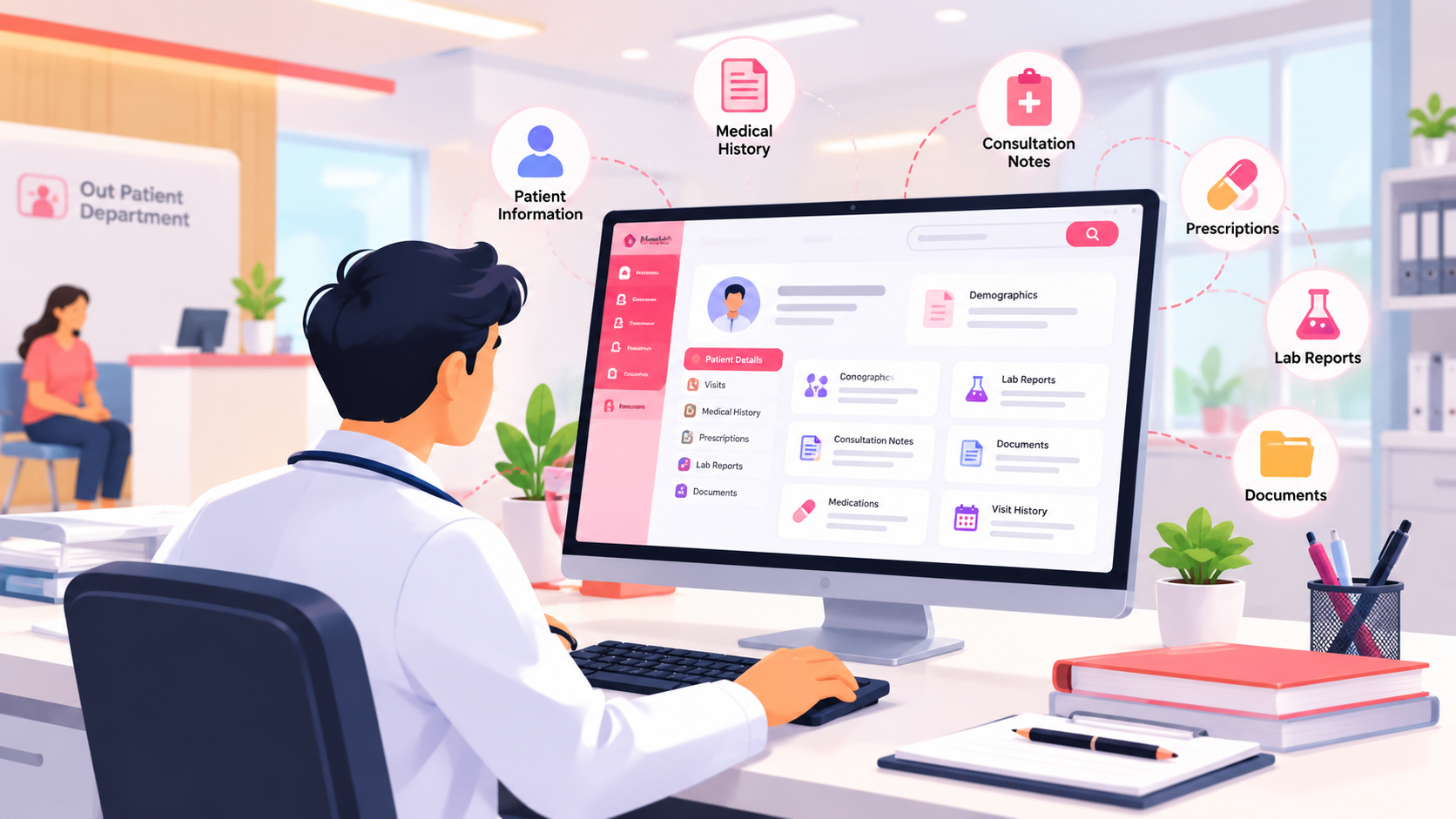
Depending on the software, records may include patient demographics, visit details, medical history, consultation notes, prescriptions, and relevant investigation information.
The exact information available depends on the system's capabilities and the way the hospital configures its workflows.
Why Hospitals Need Better Record Management
Faster access to patient information
Organized digital records can help authorized staff locate relevant information without searching through multiple physical files.
More consistent documentation
Standardized fields and structured workflows can help staff record information consistently and identify missing details.
Better continuity between visits
When previous records are appropriately maintained, authorized healthcare professionals can review relevant information during subsequent consultations.
Less dependence on physical paperwork
Digital record workflows can reduce the need to retrieve, carry, and manually organize paper files for every visit.
How to Organize Patient Records Effectively
1. Establish a consistent registration process
Use a defined registration workflow and establish how duplicate patient records will be identified and reviewed.
2. Keep information structured
Separate relevant information into appropriate categories, such as demographics, consultation notes, and visit history, according to the software's capabilities.
3. Control access
Patient records contain sensitive information. Configure user permissions according to staff responsibilities and applicable privacy requirements.
4. Establish backup and recovery procedures
Hospitals should understand how data is backed up, how records can be recovered, and who is responsible for testing recovery procedures.
5. Train staff before implementation
Receptionists, doctors, and administrators have different documentation requirements. Training should reflect their actual daily tasks.
Digital Patient Records and Data Protection
Digitization does not automatically guarantee security or regulatory compliance. Hospitals should evaluate access controls, audit logs, backup practices, data retention, and relevant contractual and legal requirements before choosing a solution.
Staff should also follow established procedures for correcting inaccurate records and protecting patient confidentiality.
How Mediquince Supports Digital Record Workflows
Mediquince's hospital solution identifies digital health records as a product feature. This provides a relevant starting point for hospitals seeking to reduce reliance on paper-based processes.
During a demonstration, ask how patient registration, historical information, consultation documentation, authorized access, and record retrieval work in the actual product.
Quick Tip
Quick Tip Establish a routine for reviewing duplicate patient records, checking incomplete documentation, and testing data recovery procedures. Consistent reviews help hospitals maintain organized records and prepare staff to respond to data-access or recovery issues.
FAQs
1. What is a digital patient records system?
It is software that stores and organizes patient information electronically for authorized use by healthcare providers.
2. How do digital patient records help hospitals?
They can simplify information retrieval, support consistent documentation, and reduce dependence on physical files.
3. Are digital patient records secure?
Security depends on the software's safeguards, access configuration, organizational procedures, and compliance with applicable requirements.
4. What is the difference between digital patient records and an EMR?
The terms overlap. EMR generally refers to an electronic medical record used within a clinical setting, while digital patient records is a broader descriptive phrase.
Conclusion
Well-organized digital records can support more consistent documentation and make patient information easier to retrieve. Successful implementation requires suitable software, staff training, and clear data-management policies.

Mediquince Editorial Team
Practical guides on running hospitals and clinics with software, written by the Mediquince content team.