Paper patient files can be difficult to read, misplace, and retrieve during consultations. Electronic medical records software keeps clinical history in one searchable place, helping healthcare teams access patient information and manage documentation more efficiently.
Electronic Medical Records Software
Paper patient files fail in familiar ways: handwriting that is hard to read, sheets that go missing, and a doctor who has to ask the patient to recall their last visit because the file cannot be found. Electronic medical records software addresses these problems by keeping each patient's clinical history in one searchable place.
This guide explains what EMR software is, how it differs from related terms, what a good system includes and how to move from paper without disrupting your OPD.
What electronic medical records software is
EMR software is the digital version of a patient's chart within a hospital or clinic. It holds history, diagnoses, prescriptions, test results and visit notes, and makes them available to authorised staff when needed.
EMR, EHR and HMS: what is the difference?
- EMR is the clinical record kept within one practice or hospital.
- EHR is a broader term, usually meaning a record that can be shared across providers. The two terms are often used interchangeably in everyday conversation.
- HMS (hospital management system) covers the whole operation: registration, billing, pharmacy, lab, inventory and administration. Many HMS products include an EMR.
If you only need doctors' notes and prescriptions, an EMR may be enough. If you also want billing, pharmacy and lab connected to the same patient record, look for an HMS with built-in EMR.
What a good EMR should include
Complete patient history in one place
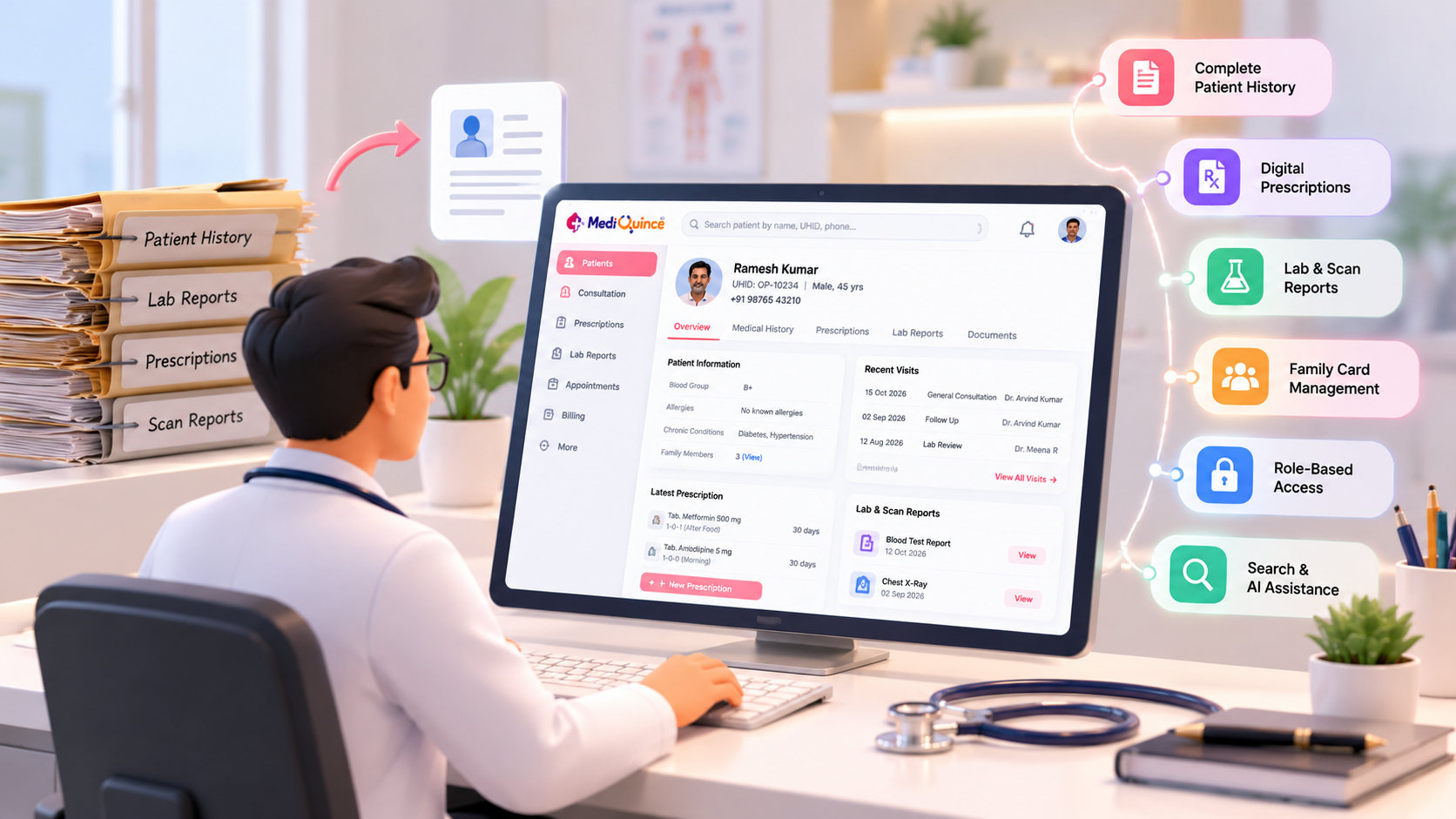
Doctors should be able to fetch past visits at the point of care. Mediquince lists retrieval of patients' past health records, and a family card that groups family members into one patient card.
Digital prescriptions
Typed or generated prescriptions are legible and can be shared. Mediquince lists a digital prescription feature, and its FAQ describes doctors issuing digital prescriptions after consultations.
Fast data entry
Doctors will not adopt a system that slows consultations. Mediquince's homepage lists support for a writing pad and voice notes, which suits clinicians who prefer not to type.
Test and scan reports attached to the record
Lab and scan results should sit with the patient's history instead of in a separate file. Mediquince lists a scan-and-lab feature that stores reports in media format.
Role-based access
Not everyone needs to see everything. Mediquince's on-premises page describes role-based access so staff see only the modules relevant to their work.
Search and AI-assisted features
Mediquince's website describes AI-assisted features for records, such as smart search and clinical decision support. Any AI feature should support, not replace, clinical judgement, so ask to see exactly how it works in a demo and what a doctor sees on screen.
Moving from paper to EMR
- Decide the scope. Many hospitals start with new patients and bring older files in as patients return.
- Map your forms. Note which fields each speciality records, so templates match real use.
- Pilot in one department. Fix problems with a small group first.
- Train on real cases. Practise with typical patients, not sample data.
- Agree when entries are made. Decide whether notes are entered during or right after consultation.
- Review after a month. Ask doctors what slows them down and adjust.
Security questions to ask
- Who can view, edit and export patient records?
- Are user actions logged?
- How is data backed up?
- Where is the data stored: cloud, local server or both?
Mediquince describes secure cloud storage and, for on-premises deployments, role-based access, activity logs and backups.
Questions to ask a vendor
- Can I see a doctor completing a full consultation from start to prescription?
- Does it work on a phone or tablet as well as a desktop?
- How are speciality-specific needs handled?
- How do lab and scan results link to the record?
- What does migration of existing records involve?
How Mediquince handles medical records
Mediquince keeps records, prescriptions, appointments and billing connected in one platform. Doctors can use the doctor app to view appointments, consult patients and update records from anywhere, and patients can access their records through the patient app.
Quick Tip
Quick Tip Before moving from paper to EMR, pilot the system in one department, train staff using real consultation workflows, and test how existing records are retrieved and backed up. Review staff feedback after the first month and adjust the workflow where needed.
FAQs
What is EMR software? It is software that stores a patient's clinical records digitally within a hospital or clinic.
What is the difference between EMR and EHR? EMR usually means records kept within one practice, while EHR suggests records shareable across providers. People often use them interchangeably.
Is EMR the same as a hospital management system? No. EMR covers clinical records. An HMS covers the whole operation, including billing, pharmacy and lab, and often includes an EMR.
How do we handle old paper records? Most hospitals start fresh with new patients and add older history as patients return, rather than scanning everything at once.
Conclusion
EMR software pays off when doctors find it quicker than paper. Judge any system on a real consultation, not on a feature list, and bring your doctors into the demo.
To see Mediquince's records and prescription workflow, book a free demo.

Mediquince Clinical Desk
Notes on clinical documentation, patient flow and care coordination from the Mediquince clinical workflow team.